Enterprise B2B Platforms
2024-2026
- Complex Data Design
- Informatic Struction
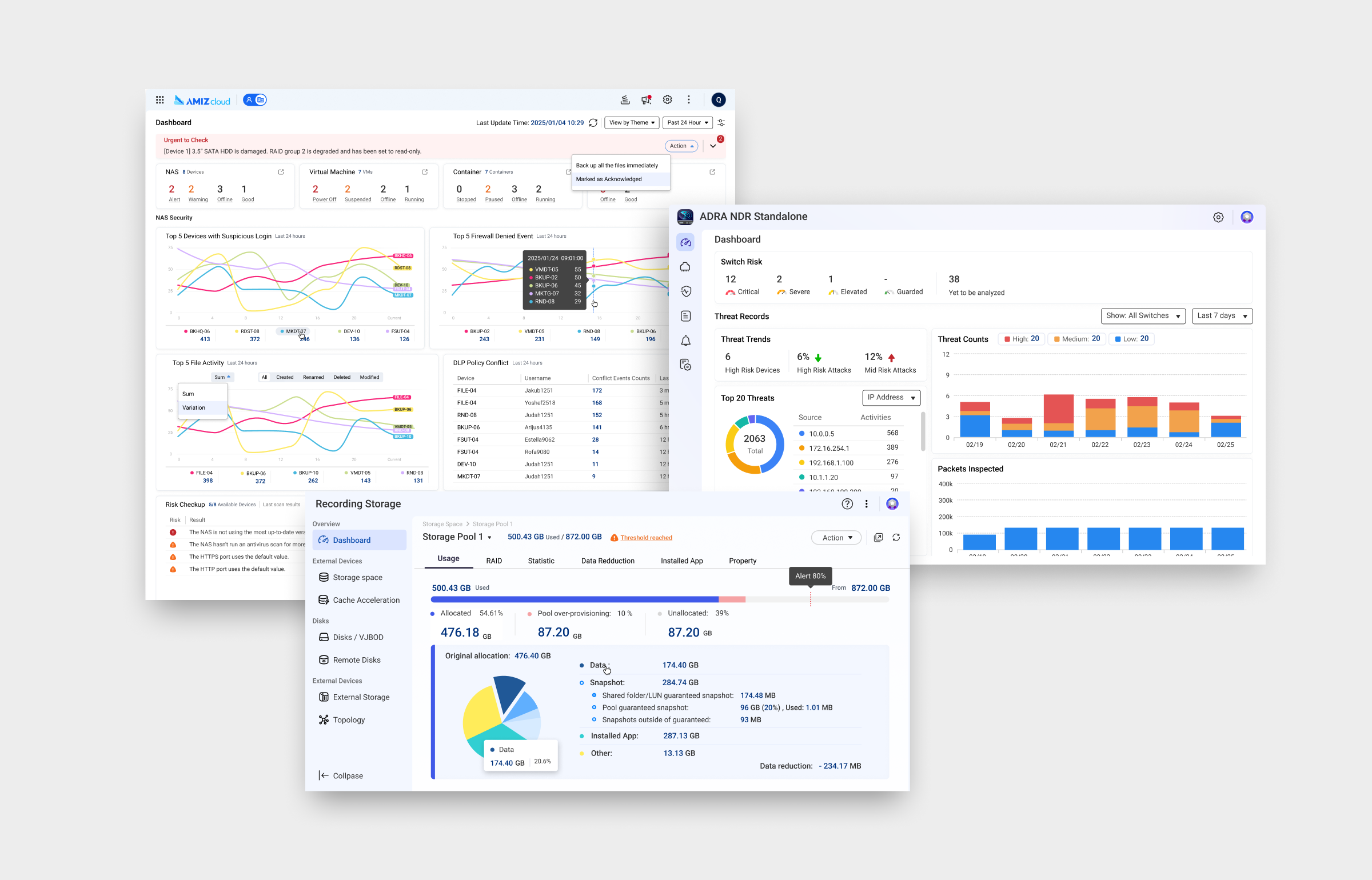
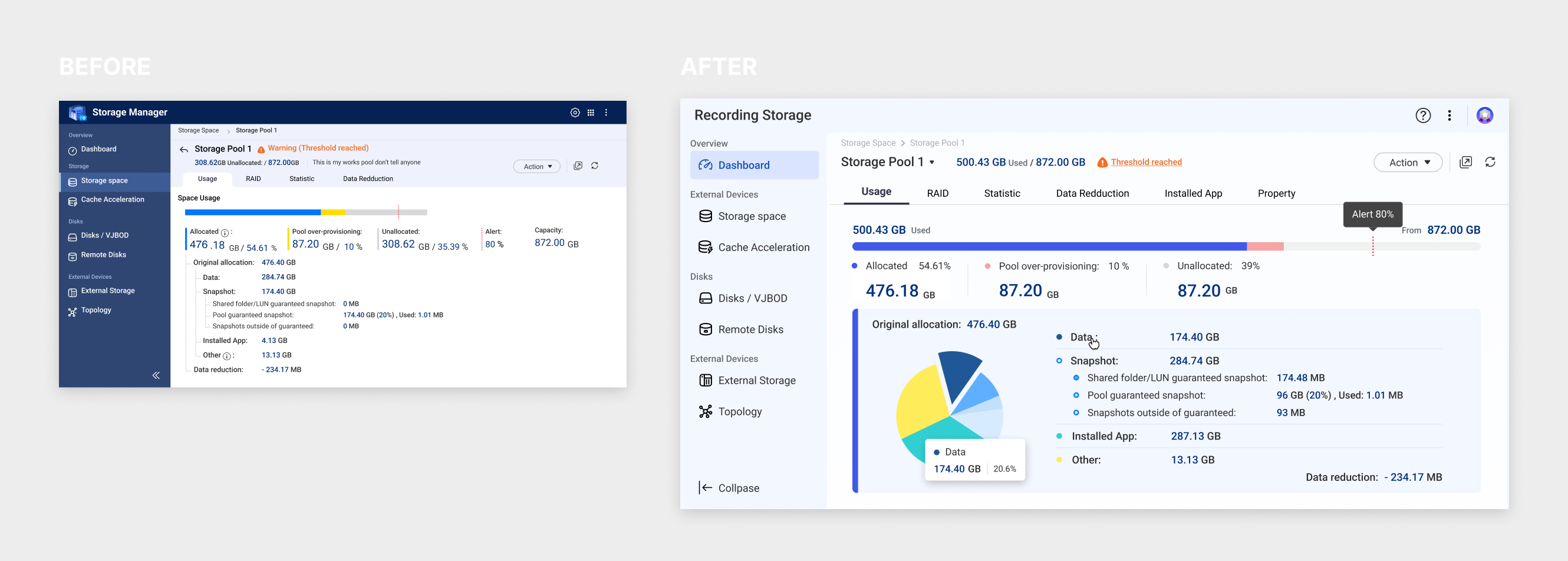
Six enterprise platforms at QNAP had grown up separately, each with its own components and its own rules.
This page collects the UI I redesigned to bring them together: one design system, dense data made legible. Before and after, side by side.
Team
- Design Lead
- Doro Huang
- UI Design Specialist
- Astrid Huang
- Project Manager
- Rebecca Yen / Amber Chen / Iris Chen
Cloud Device Management Dashboard
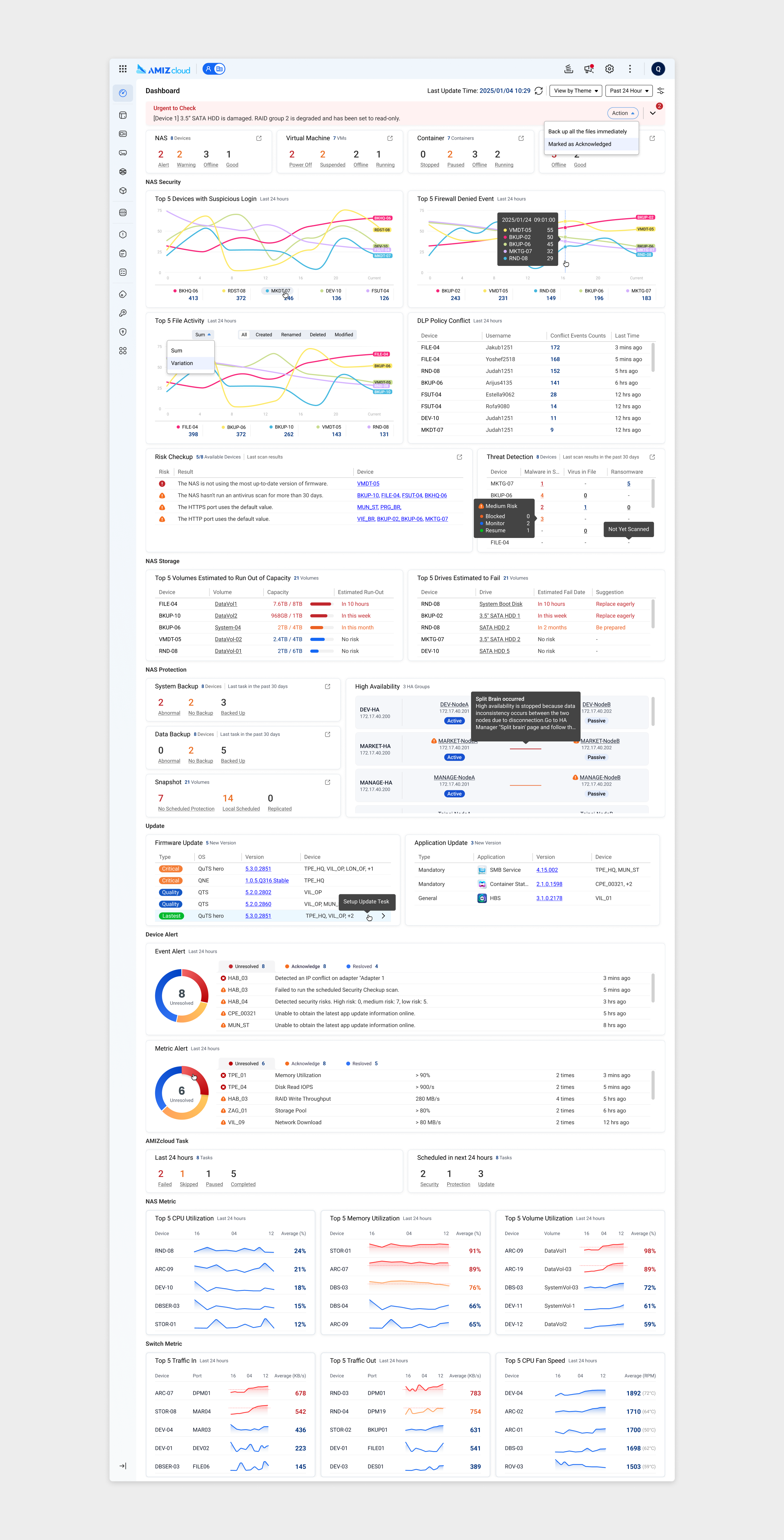
The app lets IT teams monitor and manage NAS, switches and network devices across every site from one cloud platform, with no management server to maintain.
The whole fleet, sorted by what needs attention
Security, storage, backups, updates and alerts for every managed device, grouped by theme so urgent issues rise to the top.
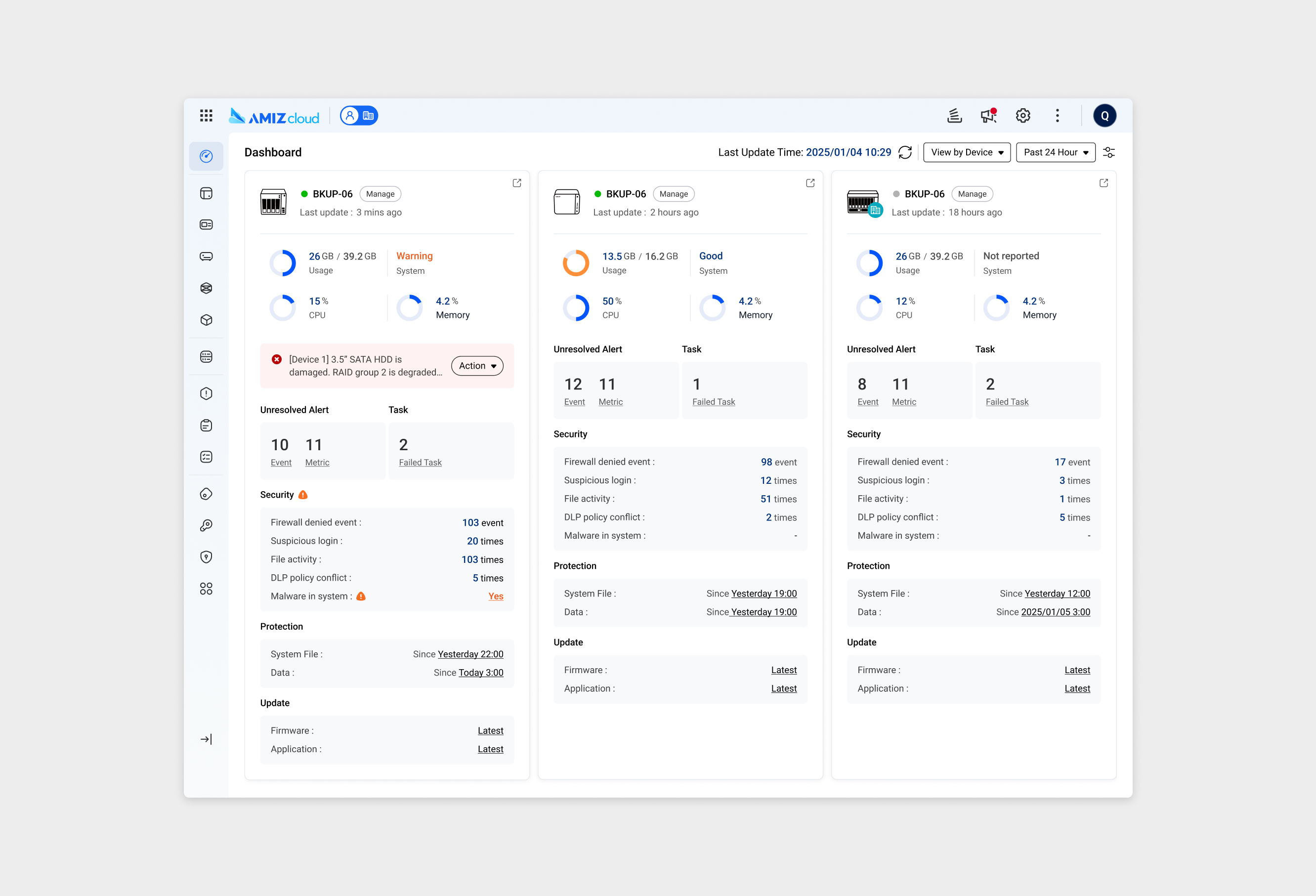
Device view
The same data, regrouped by device: each card shows a machine’s usage, alerts, security and update status at a glance.
Multi-Site Network Management
IT teams managing networks across many branches cannot travel to each site to check what is wrong.
This cloud console brings every location into one place, combining topology, live link status and device health in a layout that stays readable as the network grows.
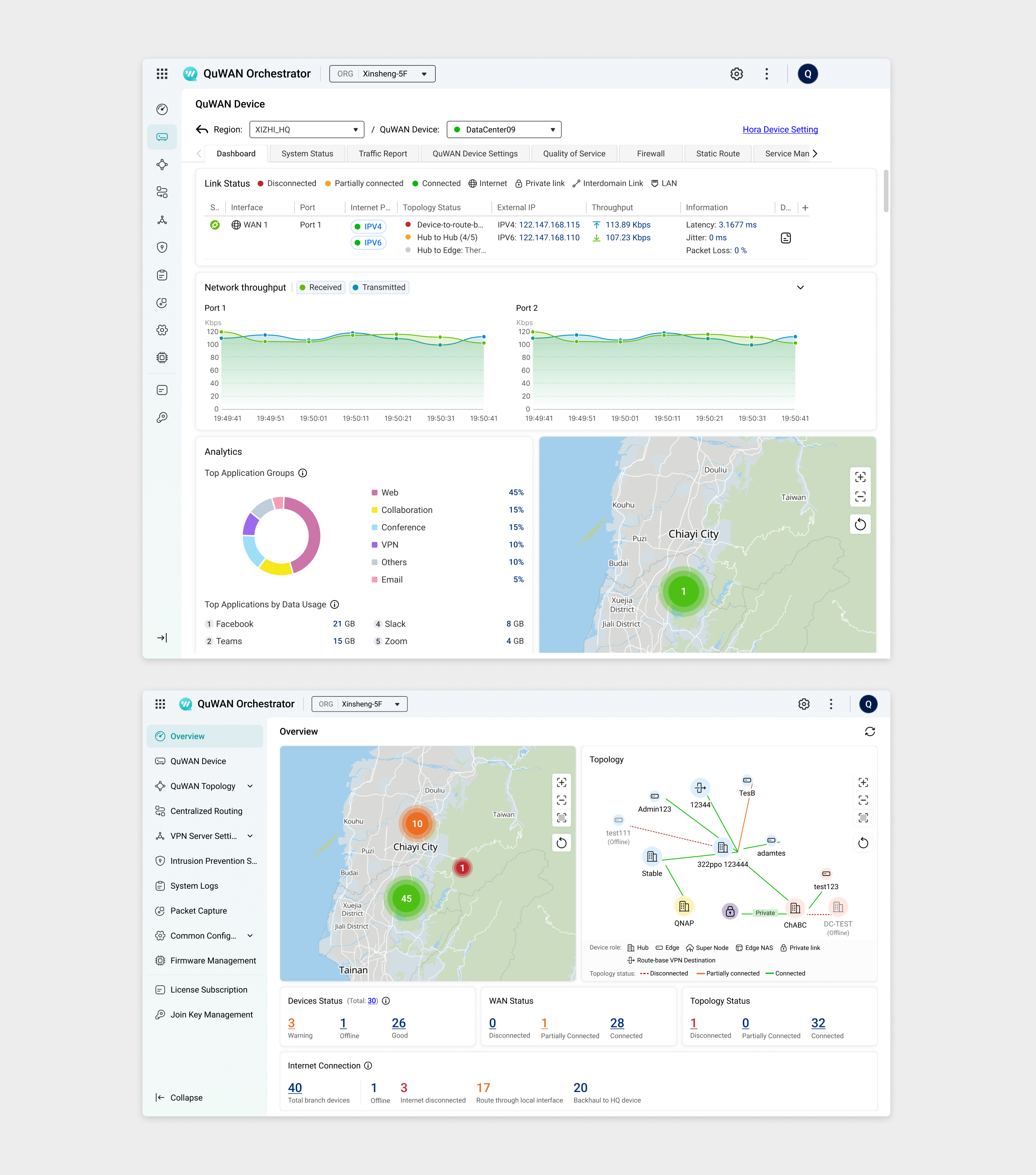
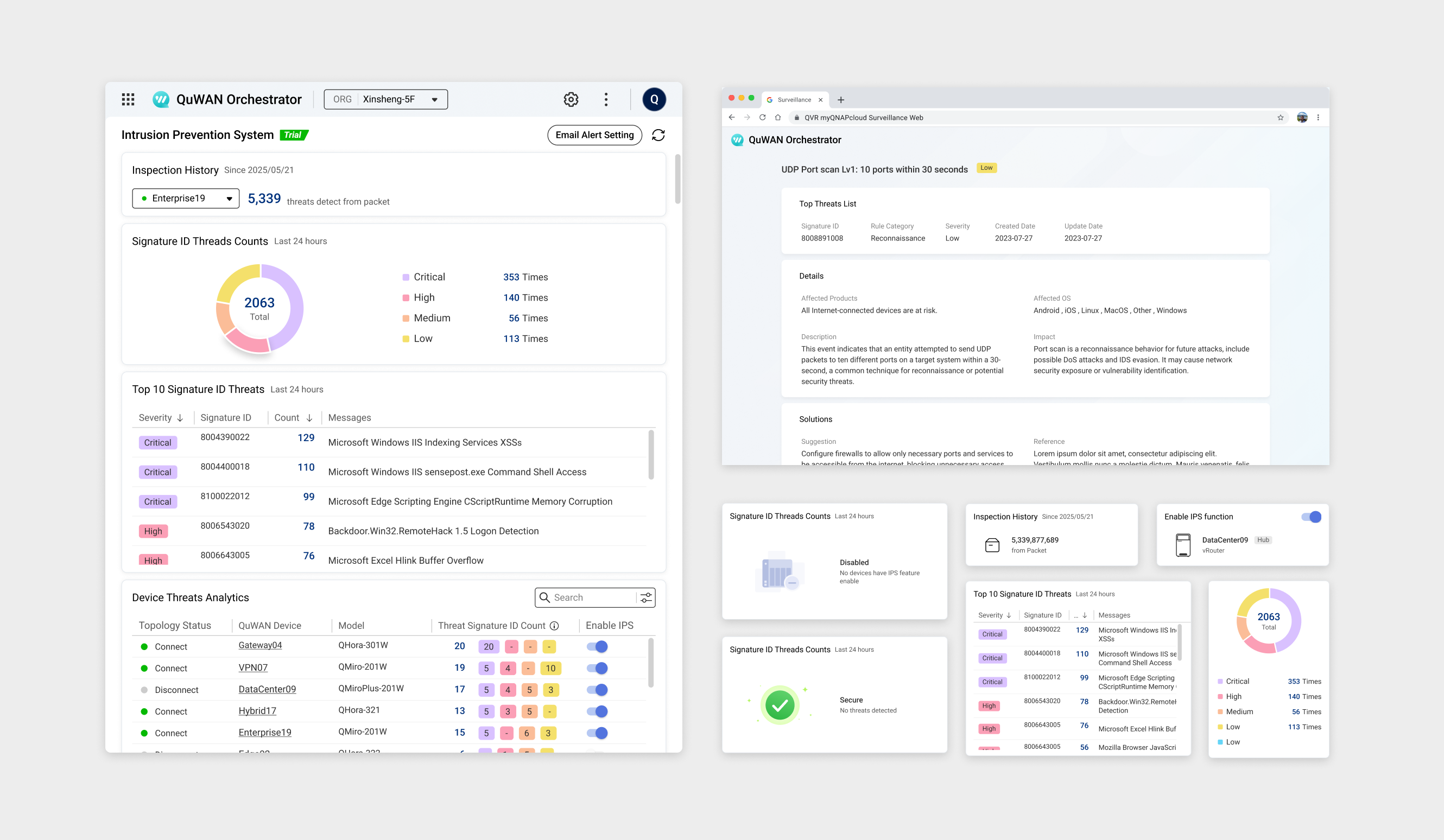
Internal Network Threat Monitor
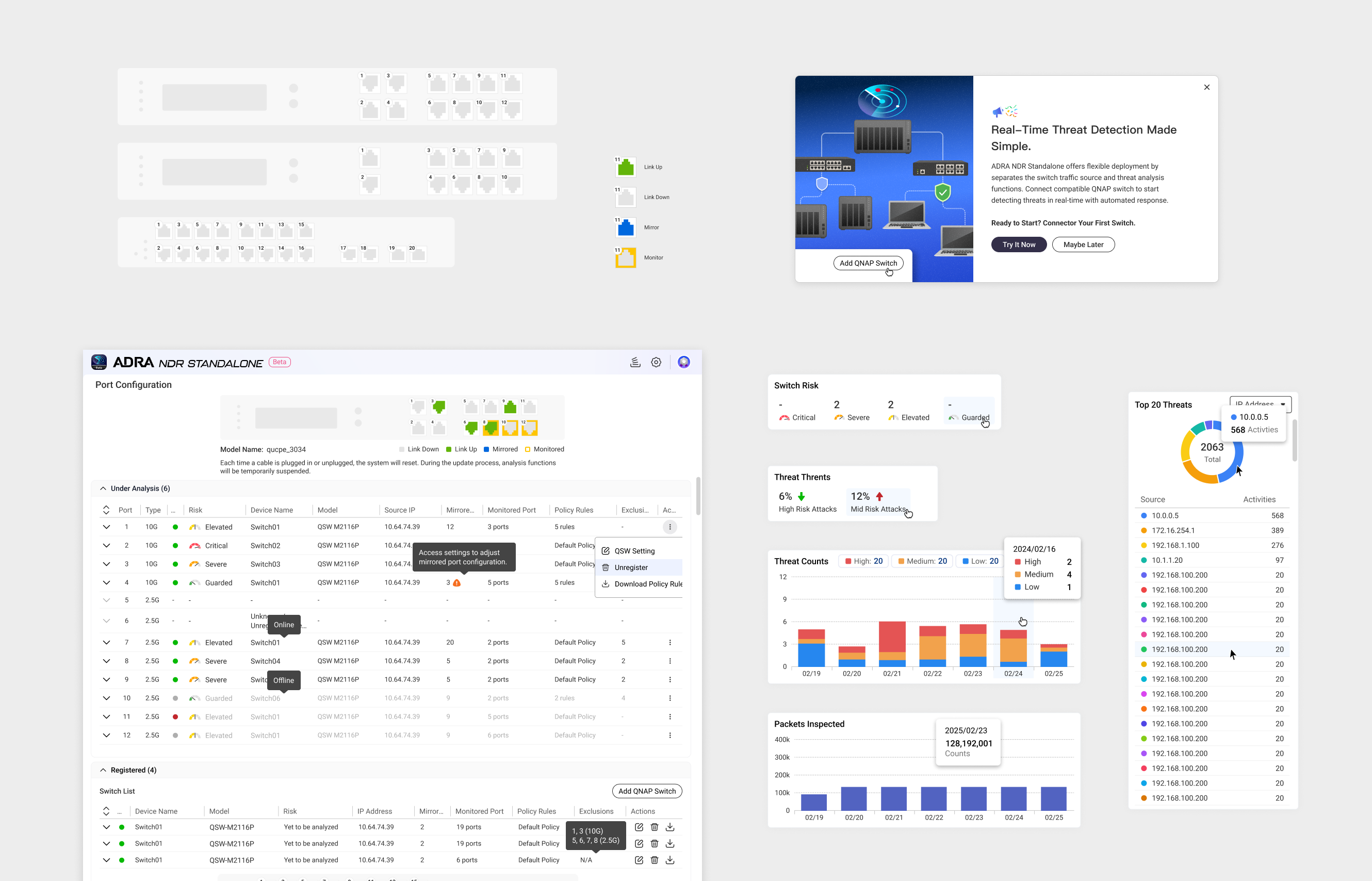
A security dashboard has to answer one question fast: which device needs attention right now.
UI show packs risk levels, threat sources, attack trends and device status onto a single screen, with a clear hierarchy that keeps the urgent signal from getting lost in the noise.
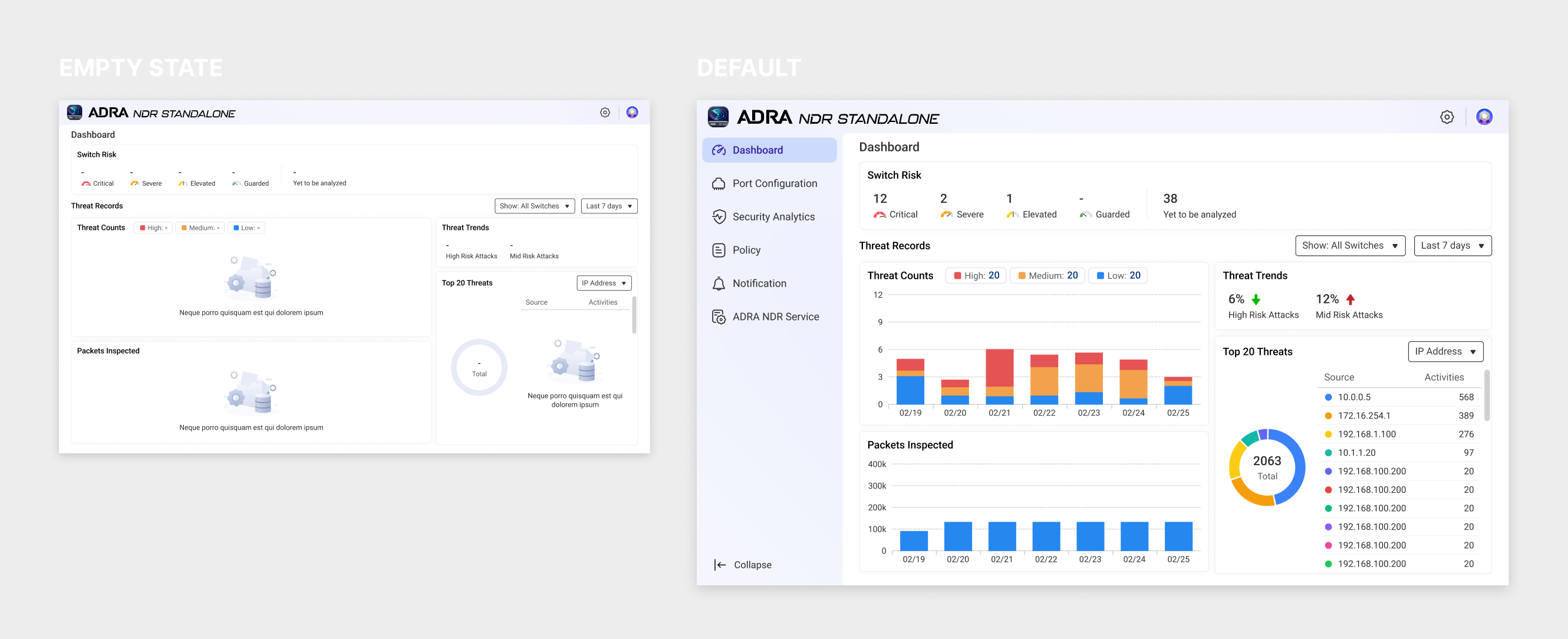
Storage & Drive Health Console
Before an admin can store a single file, they have to understand how every drive, pool and volume fits together.
This storage manager makes that structure visible, presenting dense technical detail in a hierarchy that is easy to scan and act on.