Find A Court
Use AI to create repeat designs
March 2026
- Compact Interface
- Data Rich Design
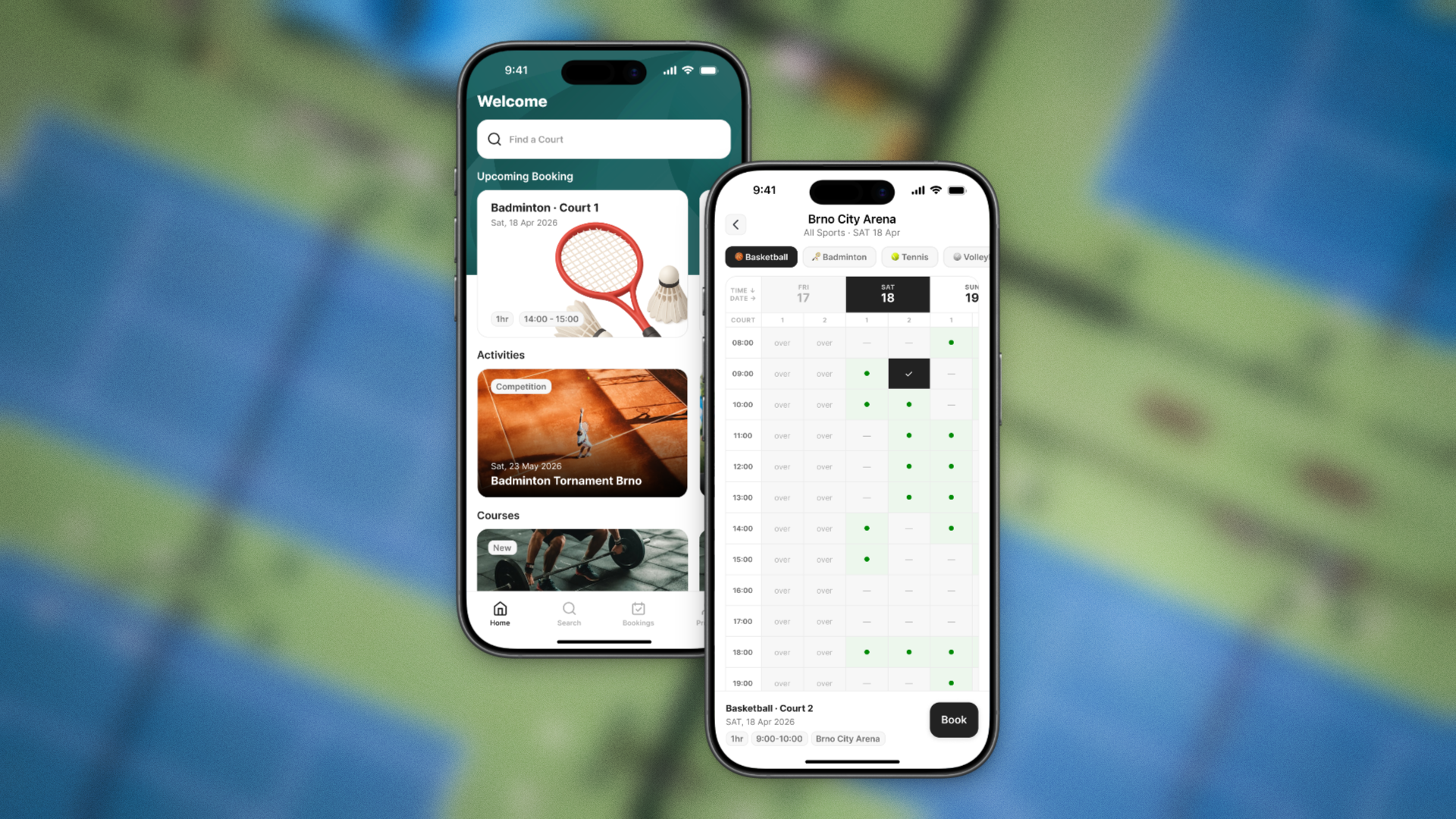
Every sports center in the city runs its own booking site, so finding a free court means running the same search five or six times over.
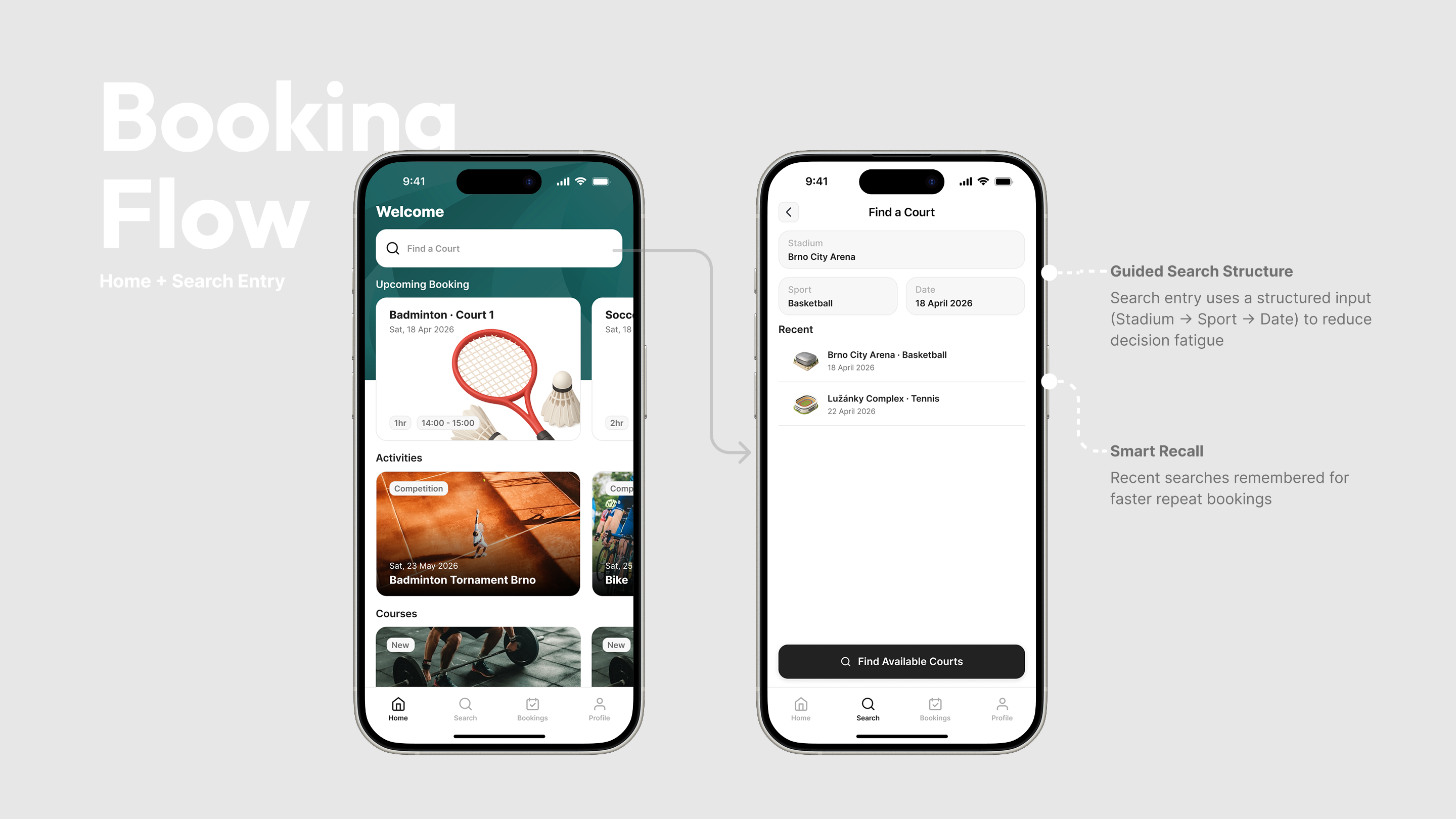
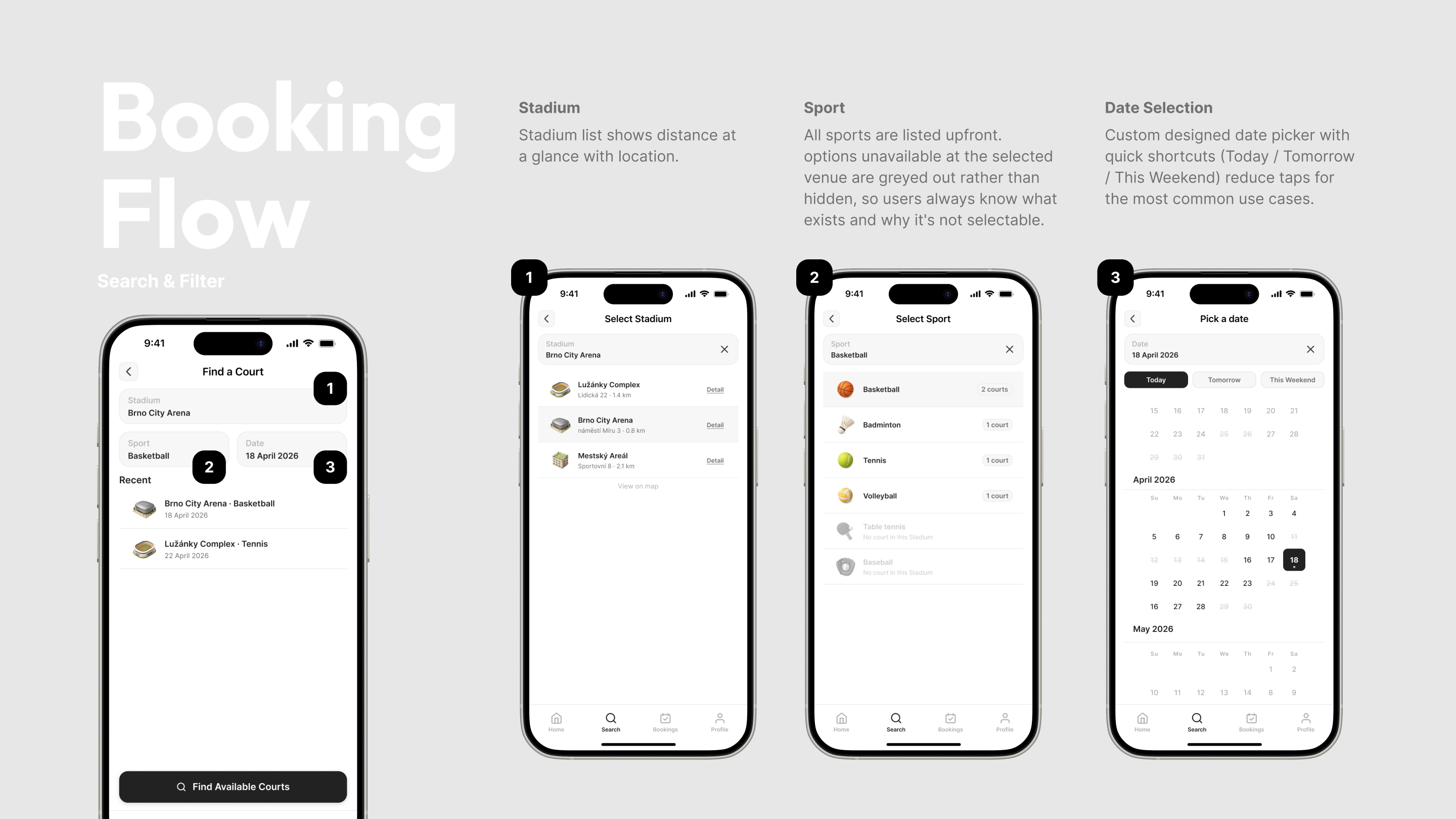
Find a Court is a UI proposal that answers it once: sport, venue, time. Entered a single time, returning every open slot in the city in one timetable. Users can leave all three fields empty and still get an answer.
About
- Client
- Michal Němec Design Studio
- Designer
- Astrid
The same search, three times over
Courts across the city sit in a dozen separate sports centers, and each one runs its own booking site.
For user to check the available site. You have to do the search separately in different site, which the repetition cause the friction — the same sport, the same date, the same scan for a free hour.
Find a Court consolidates availability from every venue into one database and one result, so the comparison happens on the screen instead of in the user's memory.
Before
After
Every booking app has a search bar. Not every one has three
Many booking apps already exist, but most consumer search bars carry two criteria, and their results are meant to be browsed.
For example, Airbnb, takes three criteria — location, guests and dates, then returns a feed of cards, because every listing needs description before a decision. The user opens one, reads it, comes back, opens another.
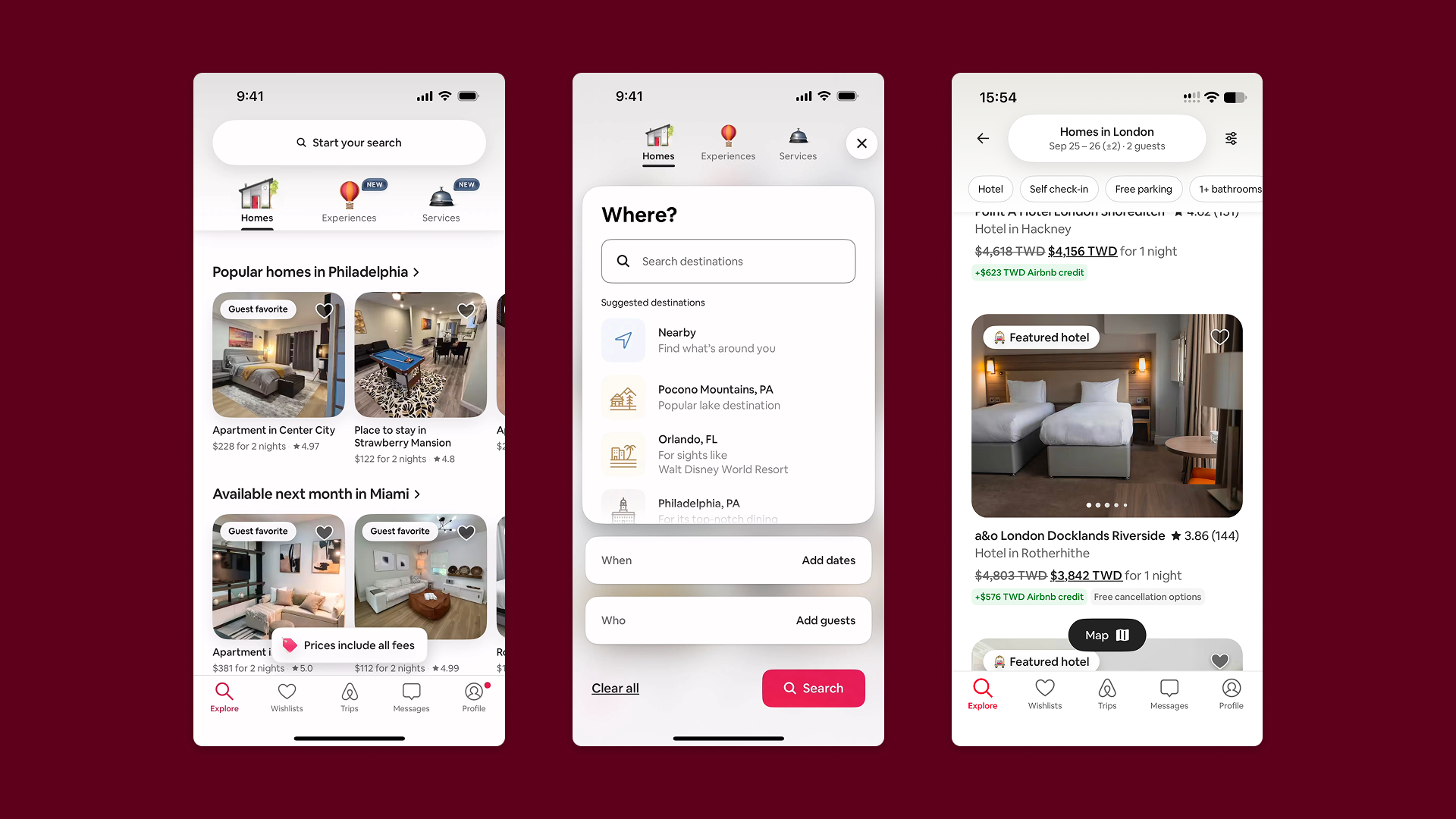
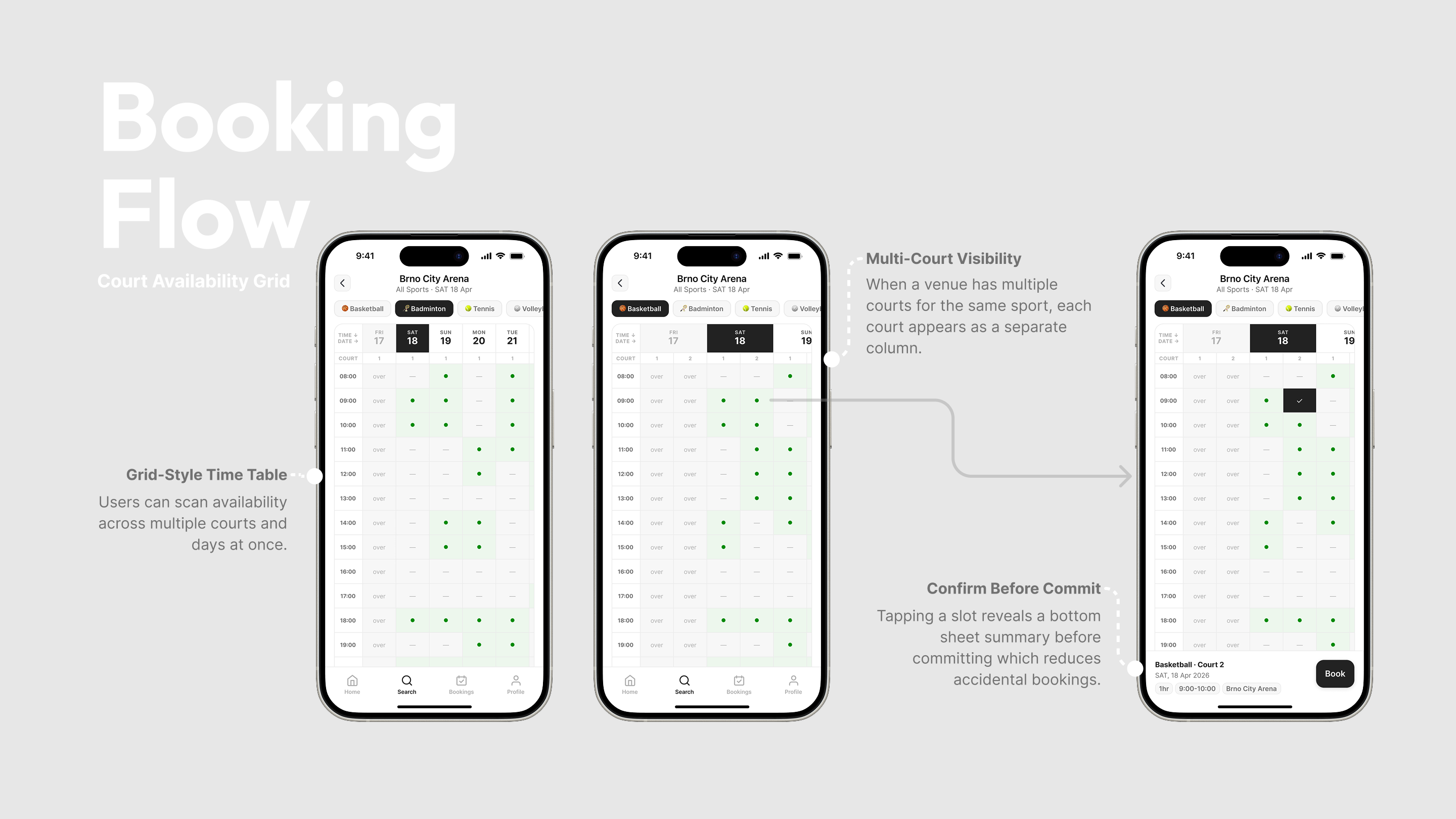
In contract, a court needs no description. It is free at eight or it isn't. The decision is a comparison across time, not a study of any one option, which rules out cards and points to a timetable.
The closest existing product, A venue booking system by Taipei, already uses a timetable.
Its weakness is everything around it: several steps before a result appears, and a result page carrying information the user isn't deciding with. So the opportunity was never the format. It was how fast the timetable arrives, and how much of it is signal.
Another example, Playtomic offers a very similar solution, but the difference is that it focuses exclusively on pickleball, so there’s no issue with searching across multiple sports. It also uses a schedule to show when courts are available.
To show all result in on page
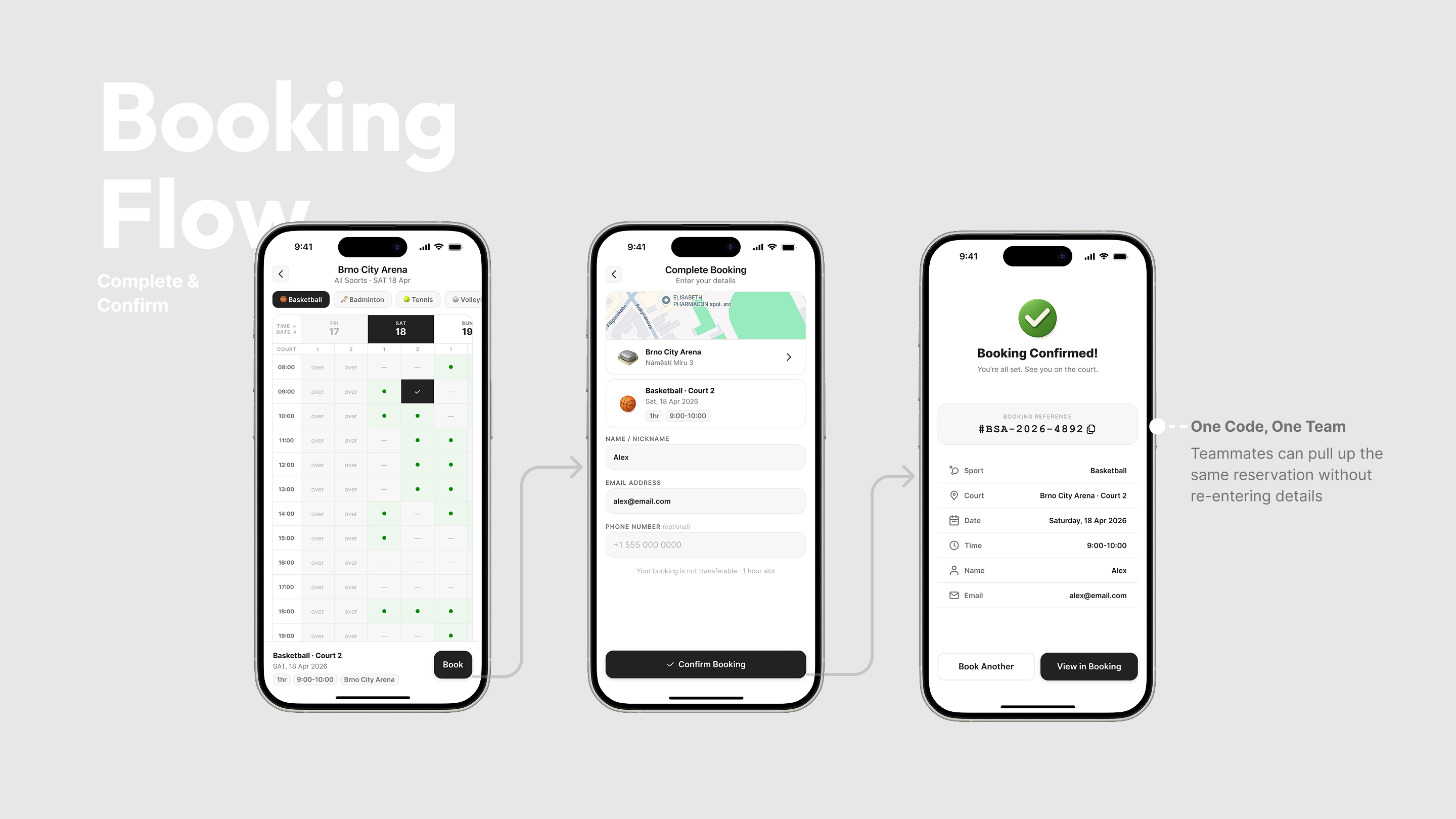
When a search returns more than one sport or venue, tabs separate the results instead of stacking them. Each timetable stays a single readable grid, and the user changes context deliberately rather than scrolling through a merged one.
Takeaway: AI didn't save me time. It spent it differently
I expected AI to compress the project. It expanded it. Within the same deadline I had more directions than I could evaluate properly, and for a while that felt like progress rather than a new problem. What settled it was going back to the criteria I would have used anyway: does the user reach a result in fewer steps, and does the timetable still hold at its worst case. AI is a good way to have more to choose from. It is not a way to have to choose less.
